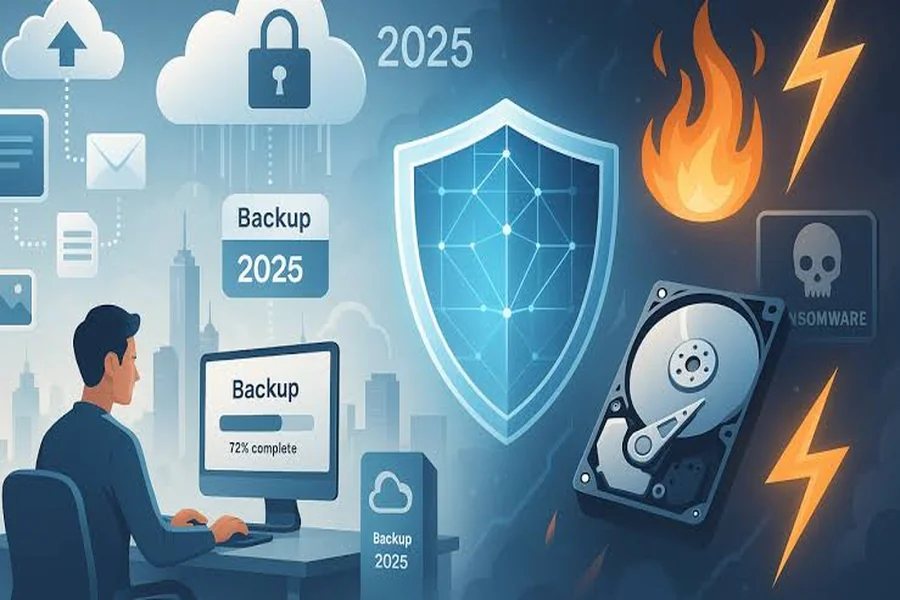
A “set-and-forget” backup approach is dangerous because unmonitored systems frequently fail silently behind the scenes, leaving businesses without their critical data when disaster strikes. Assuming automated software will flawlessly protect your operations without active human oversight is expensive wishful thinking. True data security requires proactive IT management and a comprehensive Business Continuity and Disaster Recovery plan.
The “Set-and-Forget” Fallacy: Why a Green Checkmark Isn’t Enough
The “set-and-forget” fallacy is the dangerous habit of trusting automated dashboard indicators, like a green checkmark, without verifying the underlying data. Blind faith in passive software often results in catastrophic data loss when restore attempts inevitably fail during an emergency.
Many North Charleston business operators assume their daily data protection is handled completely by software. They see a positive status report in their email and assume their files are secure. The reality is far less comforting. Only 57% of enterprise backup jobs complete successfully without errors or skipped files.
Those surface-level checkmarks do not automatically translate to real-world recovery. According to the Backblaze 2024 State of the Backup Survey, among organizations that experienced data loss, only 42% were able to recover all of their data during a restore, leaving 58% dealing with permanent data gaps. Software simply confirms a task took place; it cannot confirm whether your team could actually rebuild operations from it.
Automated software is helpful, but technology cannot protect or run a business on pure autopilot. Real operational stability takes continuous oversight that ties together network security, daily user support, and ongoing system maintenance. Teaming up with a managed IT service partner for North Charleston firms ensures experienced technicians are actively managing your entire technology environment, keeping operations smooth and preventing unexpected downtime before it disrupts your workday.
What Causes Automated Backups to Fail Silently?
Automated backups frequently encounter hidden software glitches or network errors that fail silently without triggering an administrator alert. These undetected issues prevent data from saving correctly, leaving your business exposed to permanent file loss despite automated schedules running daily.
Silent data corruption is a primary culprit. Storage media can develop minor flaws that scramble individual bits of data over time. If your automated software does not verify file integrity, it will dutifully back up corrupted files, overwriting your clean versions with useless, damaged data.
Configuration drift is another common cause of failure. Network environments change constantly as employees add new folders, update software, or restructure shared drives. If your backup parameters are never updated to match these environmental changes, the system will miss newly created data entirely.
Physical and logistical limitations also plague unmonitored systems. Files that remain open during the scheduled backup window are frequently skipped by the software. Furthermore, backup storage drives eventually reach full capacity. Without active monitoring, a drive can silently stop accepting new data, leaving you with weeks of missing information before anyone notices the error.
How Ransomware Actively Targets Backup Repositories
Modern ransomware operators actively hunt for your backup drives to encrypt and destroy your primary recovery options. Protecting sensitive backup repositories from these targeted attacks requires layered cybersecurity controls and isolated threat detection managed continuously by dedicated IT professionals.
Cybercriminals have evolved their tactics significantly over the past five years. They no longer just encrypt primary servers and wait for a payout. Attackers know that if a company has clean, accessible backups, they will simply restore their systems and ignore the ransom demand.
To ensure they get paid, hackers now specifically seek out your safety net first. The Veeam Data Protection Trends Report notes that 96% of ransomware incidents now include attempts to compromise backup infrastructure. They target unmonitored network-attached storage drives, delete volume shadow copies, and poison cloud synchronization tools.
Stopping these advanced threats requires more than passive software. Isolated threat detection and layered cybersecurity controls are necessary to protect backup repositories. Professionals manage these environments by keeping backups physically or logically separated from the main network, ensuring ransomware cannot spread to your ultimate recovery option.
Backup vs. Business Continuity: What Is the Difference?
A backup is simply a secondary storage copy of your data, whereas Business Continuity and Disaster Recovery is a strategic, tested plan. This overarching plan is designed to restore mission-critical workloads swiftly and keep the business operational during a crisis.
Having a backup simply means you have a duplicate file sitting on a server or in the cloud. It is only one small piece of the data protection puzzle. It does not dictate how fast those files can be restored, nor does it guarantee your software applications will function once the files are moved back to your primary network.
Business Continuity and Disaster Recovery (BCDR) encompasses the entire recovery lifecycle. It dictates who handles the recovery process, which systems come back online first, and what hardware is used to get employees working again.
The core philosophy of BCDR is simple. A backup is only real once you have successfully restored from it in a simulated crisis. Until you test the data, you only have an unproven theory of protection.
How to Transition to Actively Managed Data Protection
Transitioning to a proactive data protection model requires implementing active oversight, regular patch management, and continuous monitoring. You must establish a formal disaster recovery plan tailored to your operational environment and your specific acceptable downtime thresholds to guarantee fast recovery.
Start by auditing your current backup systems. You need a proactive model where trained administrators check backup logs daily, resolve skipped files immediately, and maintain strict access controls to prevent ransomware spread.
Next, establish a formal BCDR plan. Define your acceptable downtime thresholds. Decide exactly how long your business can afford to be without its primary applications, and build a recovery process that meets those strict timeframes.
Partner with a North Charleston IT provider that offers local, hands-on accountability. A dedicated team pairs enterprise-grade backup technology with expert disaster recovery planning, taking the burden of monitoring off your internal staff.
If you haven’t tested your backups recently, run a test restore this week; it’s the only way to know they actually work.
Conclusion
Relying on a “set-and-forget” backup system is an expensive gamble that leaves businesses totally unprepared for data corruption, hardware failure, or ransomware. Automated software gives a false sense of security, and the staggering failure rates of passive backups prove that unmonitored data is effectively unprotected data.
Transitioning from passive backups to a tested, actively managed BCDR strategy is the only way to guarantee business resilience. By implementing continuous oversight, regular testing, and layered security, you ensure your company can weather any digital disaster without facing crippling downtime.