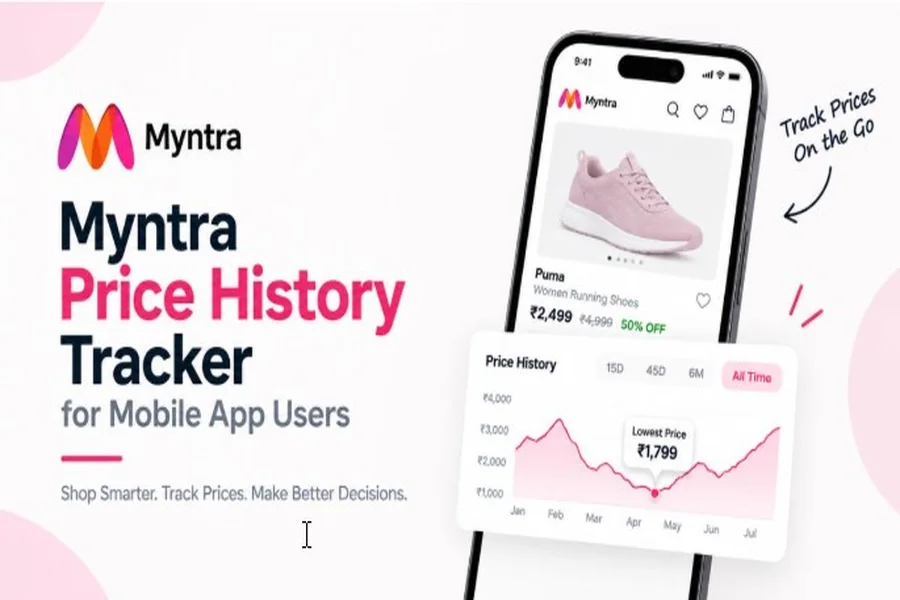
Shopping on Myntra from your phone is quick and convenient, but product prices can change frequently. A dress, pair of sneakers, or smartwatch that costs ₹1,999 today may have been available for much less a few days or weeks ago.
This is where a Myntra price history tracker can help. Instead of looking only at the current price and discount percentage, you can check how the product’s price has changed over time.
FlipShope lets you check Myntra price history from your phone by pasting a product link into its price history tool. You can view historical price trends across different periods and compare the current price with previous prices.
Why Check Myntra Price History on Mobile?
Myntra regularly offers discounts on clothing, footwear, accessories, beauty products, and other categories. The price of the same product can change during sales, promotional campaigns, and regular pricing updates.
A discount label such as “50% OFF” does not tell you whether the current selling price is actually low compared with the product’s previous prices.
With price history, you can see how the product has performed over time. This makes it easier to understand whether you should buy at the current price or wait for another drop.
For mobile shoppers, this is especially useful because you can check the price history while browsing Myntra from your smartphone instead of switching between multiple websites or manually recording prices.
What Is a Myntra Price History Tracker?
A Myntra price history tracker records the historical prices of products and displays how their prices have changed over time.
FlipShope’s price history tool supports Myntra along with other major shopping platforms. Depending on the available data, you can view price trends across 15 days, 45 days, 6 months, or all-time history.
For example, if a jacket is currently priced at ₹1,799, the price history may show that it previously sold for ₹1,299. This gives you useful context that is not available from the current Myntra product page alone.
How to Check Myntra Price History on Your Phone
You can check Myntra price history directly from your smartphone using FlipShope.
Step 1: Open Myntra
Open the Myntra app or Myntra website on your phone and search for the product you want to buy.
Step 2: Open the Product
Select the exact product and open its product page. Make sure you are checking the correct size, colour, and product variant before copying the link.
Step 3: Copy the Product Link
Use the share option to copy the Myntra product link. If you are using Myntra through a mobile browser, you can also copy the URL from the address bar.
Step 4: Open FlipShope
Open FlipShope’s Price History tool on your mobile browser and paste the Myntra product URL into the search box.
Step 5: Check the Price History
FlipShope will display the available historical pricing information for the product. You can use the graph to see how the price has moved and compare the current price with previous prices.
How to Use the FlipShope Mobile App for Myntra
If you frequently shop from your smartphone, the FlipShope app provides another way to track products and check their price history.
On supported shopping websites, the FlipShope app can open the Price Tracker when you are viewing a product. The Android app currently provides 15-day, 45-day, and 6-month price history options, along with price drop alerts.
To use it:
- Install the FlipShope app on your phone.
- Open Myntra and find the product you want.
- Use the FlipShope option while viewing the product.
- Open the Price Tracker.
- Check the available price history.
- Compare the current price with previous prices.
- Set a price alert if you want to wait for a lower price.
This makes price checking easier when you are shopping directly from your phone.
How to Set a Price Alert on Mobile
Sometimes you may find a product you like, but its current price is higher than your budget. Instead of checking the Myntra product page every day, you can set a price alert and wait for the price to drop.
For example, suppose a pair of sneakers currently costs ₹2,499, but you are comfortable buying them at ₹1,999. You can set your target price and let FlipShope monitor the product.
When the price reaches your target, you can receive a notification and check the product before purchasing. FlipShope’s mobile app supports price drop alerts for tracked products.
Set a Realistic Target Price
Before setting an alert, check the product’s price history first. If the product has never dropped below ₹2,200, setting an alert for ₹1,500 may mean waiting for a price that has not previously occurred.
Instead, use historical prices to choose a realistic target. This gives you a better chance of receiving a useful alert when the product reaches a price you are comfortable paying.
Track Myntra Products During Sales
Myntra sales are one of the best times to pay attention to price movements. Products may receive temporary discounts, coupon offers, or price changes during major shopping events.
However, you should not assume that every sale price is the lowest price. A product may have been available at a similar or lower price before the sale.
Start tracking products before the sale begins. Add products you are genuinely interested in and check their historical prices before the discounts start.
For example, suppose you want to buy a pair of sneakers priced at ₹2,999. You check its history and find that it was previously available for ₹2,299. When a Myntra sale starts and the product is advertised at ₹2,799 with a large discount label, you now have useful historical context.
You can also track multiple products from your wishlist. This is useful when you are flexible about which product to purchase and want to wait for a better price.
Track Products Before a Sale
Don’t wait until the sale starts to begin tracking. Start checking products beforehand so you know their normal price range.
This gives you a baseline for comparison when the sale begins. You can then see whether the sale price represents a meaningful change from the product’s previous pricing.
Set Alerts for Your Favourite Products
If you don’t need the product immediately, set a price alert instead of repeatedly checking the Myntra app.
For example, if a handbag costs ₹3,499 and your target price is ₹2,799, set an alert around your preferred price. You can continue shopping normally and check the product when you receive a price drop notification.
Check Multiple Products
Sales often include several similar products from different brands. Instead of focusing on only one item, track a few products that meet your requirements.
This can give you more options if one product does not reach your target price. You can compare their historical pricing and current prices before making a purchase.
Check the Price Again Before Checkout
Prices and offers can change during a sale. Before completing your order, check the current product price and any applicable coupons or offers.
The final amount you pay can be different from the headline discount shown on the product page, so check the final price before placing the order.
Use Price History to Understand Myntra Discounts
A product’s discount percentage is only one part of the pricing information.
Suppose a product has an MRP of ₹3,999 and is currently listed at ₹1,999. It may appear to be a significant discount, but the price history could show that the product was previously available for ₹1,599.
This does not automatically mean you should wait, because prices can change and products can sell out. However, the historical information gives you another data point to consider before purchasing.
Check Myntra Prices Across Different Time Periods
One useful feature of price history is being able to look at different time periods.
A short-term view can help you understand recent price changes, while a longer view can show broader pricing patterns. FlipShope provides 15-day, 45-day, and 6-month views, depending on the available product data.
You can use these views to answer questions such as:
- Has the price recently dropped?
- Was the product cheaper last month?
- How does today’s price compare with previous prices?
- Has the product reached a lower price before?
- Is the current price close to its historical low?
Track Myntra Prices Without Checking Manually
Manually checking a product every day can be inconvenient, especially when you are tracking several products.
A price tracker can handle this monitoring in the background. FlipShope’s price tracker supports Myntra and can send alerts when a tracked product reaches a desired price.
This is useful for products that you want but do not need immediately. Instead of constantly opening the Myntra app to check the price, you can wait for an alert and then decide whether to purchase.
Final Words
A Myntra price history tracker for mobile app users makes it easier to understand how product prices change before you buy. Instead of relying only on discount percentages, you can check historical prices, monitor products, and set alerts for your preferred price.
With FlipShope, you can check Myntra price history from your phone and track products during regular shopping and major sales. A few seconds of price research can give you useful information before you complete your purchase.